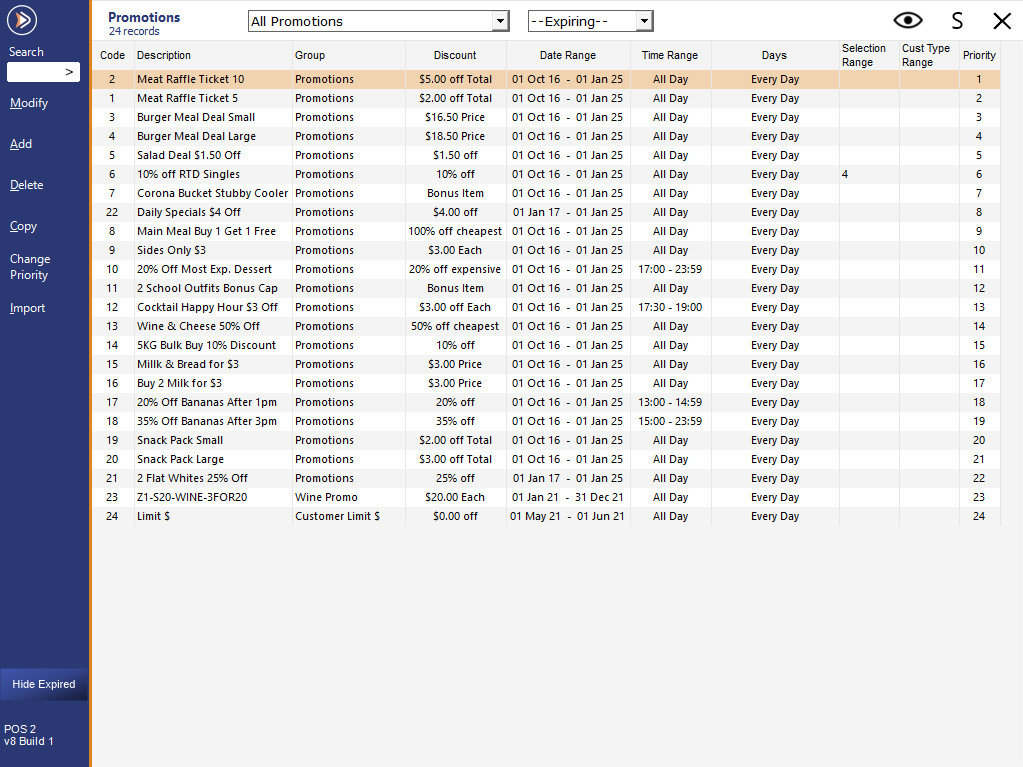
The Promotions List will display Promotions and use the following columns.
Code – Displays the Promotion Code.
Description – Displays the Promotion Description.
Group – Displays the Promotion Group that the Promotion is associated with.
Discount- Displays the Discount Type and the Discount amount.
Date Range – Displays the start and end date range of the Promotion.
Time Range – Displays the Time Range or All Day if Continuous.
Days – Displays the days that the Promotion applies or Every Day if Continuous.
Selection Range – Displays the Selection Range for which POS Terminals, Locations, Sites or Price Levels will use the Promotion or will be left blank for all.
Cust Type Range – Displays the Customer Type Range for the Promotion or will be left blank for all.
Priority – Used to set which Promotion has Priority.